Artificial Intelligence
How Non-Technical Professionals Can Start Using AI Safely
Practical ways non-technical professionals can use AI for everyday work while protecting data, checking facts, and retaining human control.


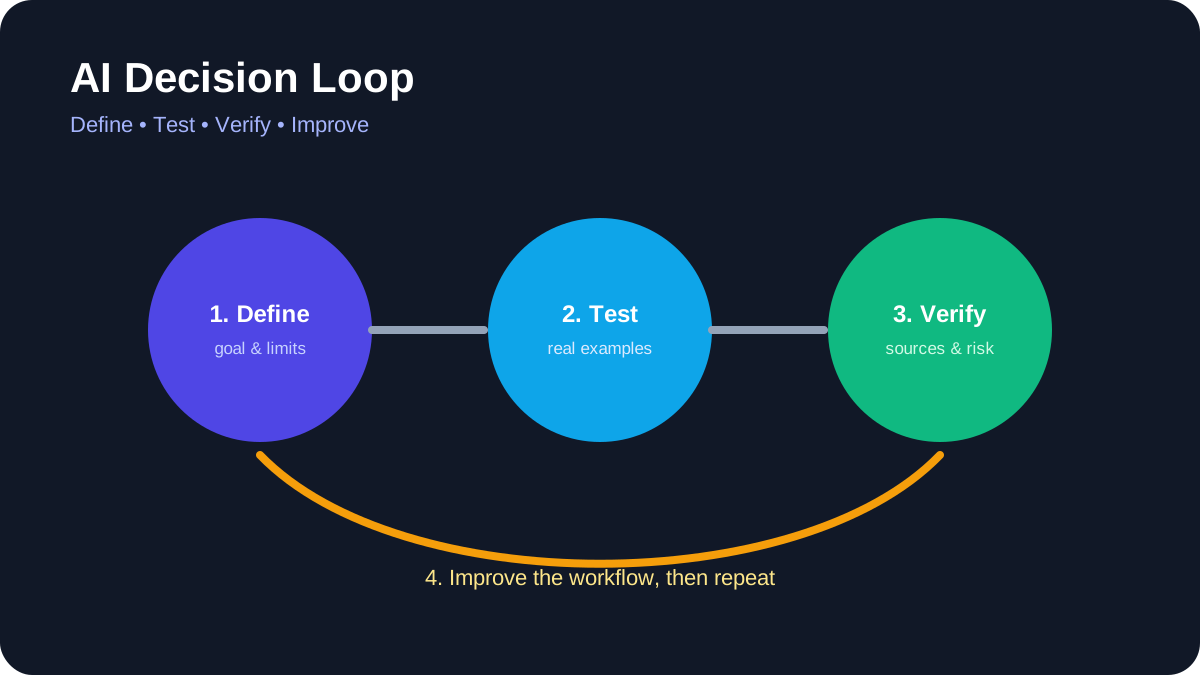
You do not need to become a programmer to use artificial intelligence responsibly. Non-technical professionals can get value from AI by choosing bounded tasks, protecting sensitive information, checking outputs, and keeping people accountable for final decisions.
Quick answer
Begin with reversible work such as brainstorming, restructuring your own draft, summarizing public material, or creating a checklist. Do not upload confidential data, verify every important claim, and keep human approval for communication, publication, purchases, and decisions about people.
Best for: writers, educators, marketers, administrators, managers, designers, and small-business teams.
What “non-technical” AI use actually means
Using an AI application does not require understanding every detail of model training. It does require understanding the task, the information being shared, the limitations of the output, and the consequences of a mistake. These are operational skills rather than programming skills.
A useful starting question is: “Can I check the answer?” If you cannot verify the result or do not have authority to share the input, the task is not suitable for casual AI assistance.
1. Drafting from information you provide
AI can reorganize notes into an outline, suggest alternative wording, or adapt a draft for a defined audience. Provide the source material and specify what must remain unchanged. Compare the output with the original before using it.
Do not ask the system to invent quotations, customer stories, statistics, or personal experience. Authorship and accountability remain with the person who approves the final text.
2. Summarizing public or authorized documents
Ask for a summary that separates facts, recommendations, and unresolved questions. Require page numbers or links when the tool supports them. Then open the source and confirm important details, especially dates, thresholds, exclusions, and legal language.
For sensitive internal documents, use only tools and accounts approved by the organization. Personal subscriptions may have different retention and administration controls.
3. Brainstorming alternatives
AI is useful for generating options when the final choice belongs to a human. Examples include possible interview questions, lesson activities, campaign angles, or ways to structure a presentation. Treat suggestions as raw material, not expert advice.
State constraints such as audience, budget, tone, accessibility, and prohibited claims. Reject ideas that rely on stereotypes, unverifiable facts, or unsafe actions.
4. Creating checklists and templates
A model can turn an established process into a draft checklist. Give it the actual process and ask it to identify missing decisions or ambiguous steps. Have the process owner validate the result before anyone relies on it.
Templates should include an owner, review point, exception path, and version date. Otherwise, a convenient document can quietly become outdated policy.
5. Comparing information
AI can organize supplied product specifications, requirements, or survey responses into a table. It should not invent missing values. Ask it to mark unavailable information explicitly and link to primary sources.
Prices, plan limits, product names, and features change. Check official vendor pages before publishing a comparison or making a purchase.
6. Assisting with visual work
Tools such as Canva provide AI-assisted image, audio, and background features. Current usage limits depend on the plan, and generated material still requires review for accuracy, accessibility, rights, and brand fit. Use the product’s official help center for current controls.
Do not represent generated images as documentary evidence. Add alt text based on what the image communicates, not a keyword list.
7. Organizing a workspace
Workspace assistants can help locate authorized information, rewrite notes, or draft task lists. Review sharing permissions before connecting additional sources. Test in a small area so the assistant cannot expose material across teams or clients.
Notion’s help center, for example, documents current AI availability and connected-source behavior. Similar products differ, so do not assume settings transfer from one service to another.
8. Preparing meetings
Use AI to draft an agenda from confirmed objectives, summarize non-sensitive preparation material, or format action items. A human should confirm decisions, owners, and deadlines. Meeting transcripts may contain personal or confidential information and should be handled according to workplace policy.
9. Improving accessibility and clarity
AI can propose plain-language versions, headings, summaries, or alternative descriptions. These are starting points. Check that simplification did not remove necessary qualifications and that accessibility guidance is reviewed by someone familiar with the audience.
10. Learning unfamiliar concepts
Ask for an explanation, examples, and questions you can use to test your understanding. Then confirm the concept with authoritative documentation or instruction. AI can support learning, but it can also produce convincing errors.
Tasks that require extra caution
Do not delegate hiring, firing, credit, medical, legal, financial, disciplinary, or safety decisions to a general AI tool. Avoid entering passwords, private keys, identity documents, unpublished financial information, protected health information, or confidential client material.
When an AI tool can send messages or change another system, follow the controls in AILooma’s AI agent safety guide. Use least privilege, approval gates, logs, and a clear way to revoke access.
A simple verification routine
- Read the answer once for overall meaning.
- Compare it with the supplied source.
- Verify names, dates, numbers, links, and quotations independently.
- Check what important context was omitted.
- Remove private information and unsupported claims.
- Have the accountable person approve the final result.
For a more detailed method, see How to Fact-Check AI-Generated Answers.
How to evaluate whether a tool belongs in your workflow
Test one real task with safe data. Record setup effort, correction time, output quality, privacy controls, export options, and cost. Repeat the task before drawing conclusions. A product is useful only when it improves the full workflow, including human review.
Final takeaway
Non-technical users do not need to surrender control to benefit from AI. Clear tasks, safe inputs, source checking, limited permissions, and human accountability matter more than clever prompting. Start small and expand only when the evidence from your own workflow supports it.
Primary sources
Practical example: using AI safely for a non-technical weekly report
A non-technical professional can start with low-risk material such as a draft agenda or a redacted set of notes. Ask the tool to organize information, not to make a final decision or invent missing facts.
- Remove names, account numbers, confidential figures, and anything the service does not need.
- Give the tool a clear format: summary, open questions, source text, and suggested next steps.
- Compare every important statement with the original notes.
- Mark uncertain items and ask a subject-matter colleague to review them.
- Save the final human-approved version and record where AI assistance was used.
This workflow preserves the professional’s judgment while using AI for structure and first drafts. It also creates a clear boundary between assistance and accountability.
Practical verification and limits
Classify information before sharing it, use approved tools, verify important outputs against source documents, and keep a person accountable for final decisions.
Editorial review and limitations
Reviewed by Femica Maydinda Harend. Recommendations are based on documented behavior and reproducible checks. Tools, models, and policies can change; verify current details before acting.