Tutorials
10 Everyday Tasks You Can Automate with n8n
Ten practical n8n automation ideas for email, files, calendars, alerts, data sync, and personal workflows, with testing and safety guidance.


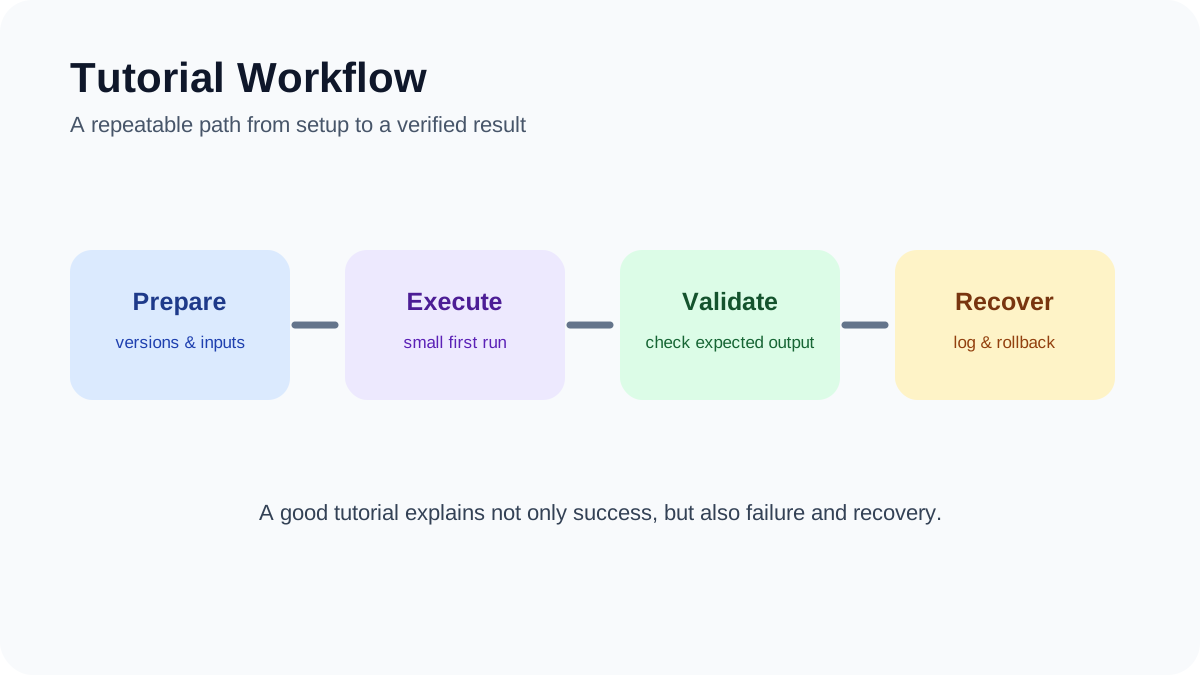
n8n is useful for connecting services and moving information through repeatable workflows. The best first automations are easy to observe, safe to retry, and still leave a person in control when a message, payment, deletion, or other consequential action is involved.
Quick answer
Start with one trigger, one clearly defined result, and test data. Add credentials through n8n’s credential store, design an error path, and review execution logs before activating the workflow. The ten ideas below are patterns to adapt, not promises that every service exposes the same fields or permissions.
Before you begin: confirm that each connected service permits the intended API use and that you are authorized to process the data involved.
1. Route email follow-ups
A workflow can watch a mailbox or form, apply a small set of rules, and prepare the next step. For example, it can create a CRM task when a qualified inquiry arrives or draft a follow-up after a meeting.
Keep sending behind approval until the filters and templates have been reviewed with real examples. Add a rule that stops the workflow when required contact data or consent is missing.
2. Synchronize approved records
n8n can copy selected fields between a spreadsheet, CRM, database, or project tracker. Choose one system of record, map stable identifiers, and define which side wins when both records change.
Do not build an unrestricted two-way sync as the first version. Begin with a one-way update and a small field set. Record the source ID and last synchronization time so a retry does not create duplicates.
3. Prepare social posts for review
A publishing workflow can take an approved content record, format variants for supported channels, and place them in a review queue. It can also notify the editor when media, alt text, or a destination URL is missing.
Platform APIs and posting policies change. Use official nodes or documented HTTP APIs, and require human approval before publication. Avoid automated replies that could impersonate a person or respond incorrectly during a sensitive conversation.
4. Organize incoming files
When a client or team uploads a file, a workflow can validate its type, create a consistent folder path, rename the copy, and notify the responsible person. Preserve the original until the new location has been verified.
File workflows need explicit size limits, allowed types, duplicate handling, and restricted credentials. Never expose a public webhook that accepts arbitrary files without authentication and validation.
5. Create meeting follow-up tasks
After a calendar event ends, n8n can collect approved notes, create proposed action items, and send them to a task manager for review. Store the calendar event ID so rerunning the workflow updates the same record instead of creating another copy.
Do not add attendees to marketing lists or send summaries automatically unless the organization’s policy and the participants’ expectations allow it.
6. Triage support requests
A support workflow can classify a new request using transparent rules such as product, language, account tier, or keywords, then assign it to the correct queue. An AI classification step can be useful, but uncertain or high-risk requests should go to a person.
Never let a classification alone close a ticket, issue a refund, expose account data, or change access. Log why the route was chosen and make reassignment easy.
7. Send focused operational alerts
n8n can receive a monitoring event, add context from another system, and send a concise alert to email, chat, or an incident tool. Deduplicate repeated events and include the affected service, time, severity, and a link to the source.
Build a recovery notification as well as a failure notification. Use rate limits or grouping so a noisy service does not flood the channel and hide the important event.
8. Assemble a newsletter draft
A workflow can collect items from an approved RSS feed or editorial database, normalize their fields, remove duplicates, and create a draft. Keep editorial selection, factual review, consent, and the final send with a person.
Do not scrape and republish full third-party articles. Store the source title, canonical URL, and a short original note explaining why the link matters.
9. Coordinate order and inventory events
For a small commerce workflow, an order event can create a fulfillment task, update an internal sheet, and notify staff when data is incomplete. Payment confirmation must come from the payment provider’s verified event, not from a browser redirect or customer-submitted field.
Use idempotency: store the order or event ID and check it before creating a label, refund, or inventory adjustment. Route unusual values, address problems, and partial failures to manual review.
10. Capture notes into a knowledge system
A workflow can save a bookmarked page, meeting note, or approved message into Notion, a database, or a file-based knowledge system. Add source URL, capture date, and content type so the information remains traceable.
Automatic tags are suggestions. Keep the original text and avoid sending confidential notes to an external model or service unless that transfer is authorized.
A safe pattern for building the first workflow
- Write the trigger and expected final state in one sentence.
- Use test credentials and non-sensitive sample records.
- Add nodes one at a time and inspect each output.
- Store credentials in n8n rather than inside code or workflow fields.
- Add an error workflow or notification for failed executions.
- Test retries, duplicate events, missing fields, and service timeouts.
- Activate the workflow with a narrow scope and review early executions.
If you have not built an n8n workflow before, start with the AILooma beginner tutorial.
Security and maintenance
Restrict access to the n8n editor, use HTTPS, keep the installation current, back up the instance, and review community nodes before installation. Limit webhook exposure and validate incoming requests. For self-hosted installations, the operator is responsible for the server, database, secrets, updates, and recovery plan.
Review workflows when connected APIs change. A successful execution does not always mean the business result is correct, so monitor both technical errors and missing or duplicate records.
Editorial review and accountability
Written and reviewed by Femica Maydinda Harend. Examples in this article describe workflow patterns. Available nodes, API fields, pricing, and platform permissions can change; confirm the current documentation for every connected service.
Primary sources and further reading
- n8n Documentation
- n8n: Credentials
- n8n: Error Handling
- n8n: Securing a Self-Hosted Instance
- n8n: Security Audit
Practical example: automating a weekly form-to-spreadsheet task in n8n
Use a deliberately small workflow first: receive a form submission, validate two required fields, add a row to a spreadsheet, and notify a human reviewer. This keeps the automation easy to inspect and easy to stop.
- Create a test form and label every field that the workflow expects.
- Trigger the workflow with one valid submission and one incomplete submission.
- Normalize dates and text before writing them to the spreadsheet.
- Route failed validation to a review branch instead of silently discarding it.
- Run the workflow with test data, inspect each execution log, and only then connect the real form.
Document the credentials used, the destination table, and the rollback step. A useful automation is observable: someone can explain what happened, correct a bad record, and disable the workflow without losing control of the underlying data.
How to test an automation safely
Build each workflow with a clear owner, expected input, expected output, and recovery path. Test missing fields, duplicate events, expired credentials, rate limits, and partial failures before enabling a schedule. Keep credentials in the credential store, add an error notification, and review execution logs during the first production runs.
Good candidates for automation
Prefer repetitive tasks with predictable inputs and reversible outputs. Keep a human checkpoint for messages sent to customers, record deletion, financial actions, or changes to access rights.
Editorial review and limitations
Reviewed by Femica Maydinda Harend. This article distinguishes documented behavior from editorial judgment and uses checks readers can reproduce. Features, prices, interfaces, and compatibility may change; verify current details before making consequential changes.