Tutorials
How to Build a Simple n8n Automation Workflow
A beginner-friendly n8n guide covering workflow design, credentials, validation, testing, error handling, and safe deployment.

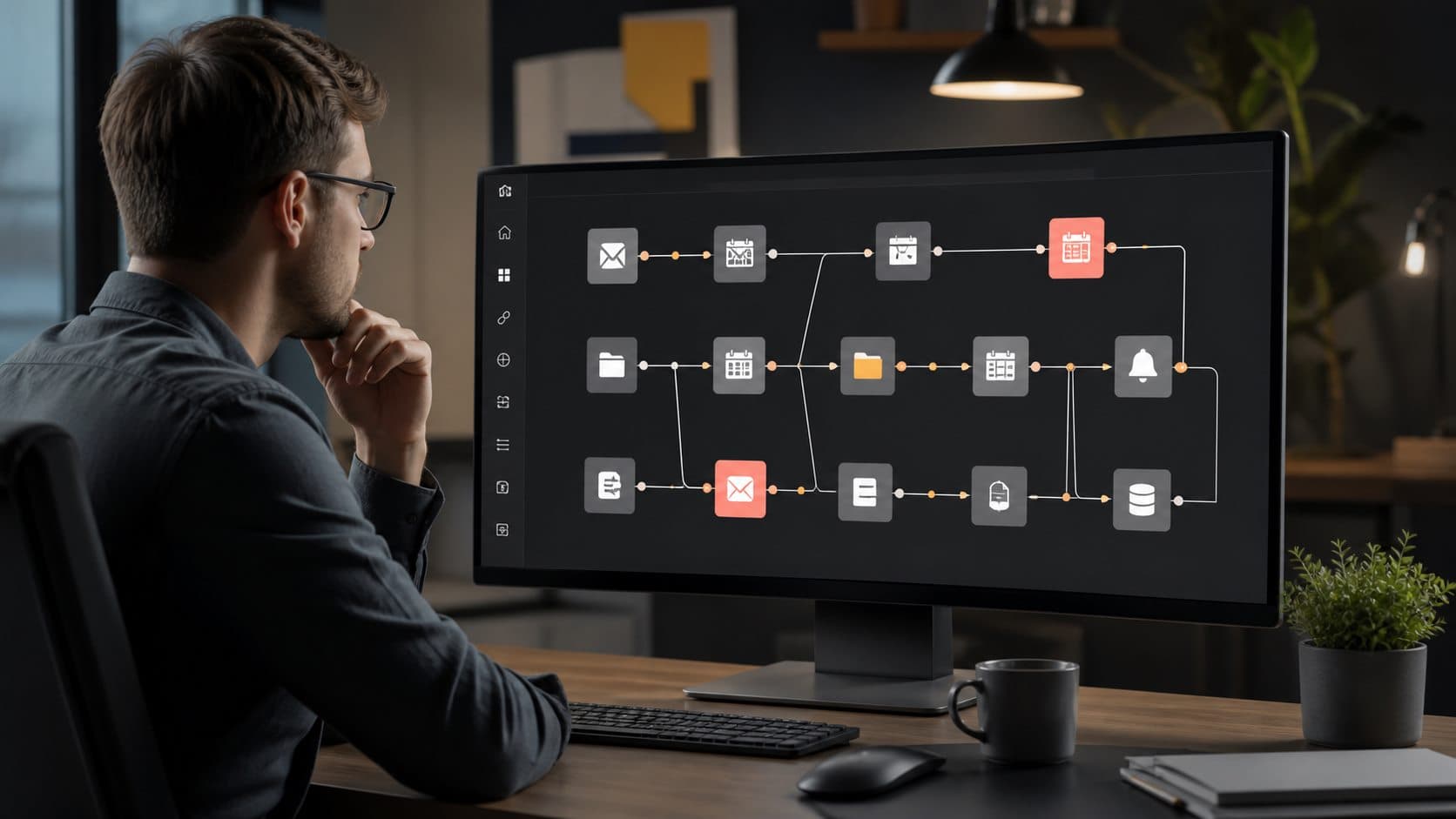
Automating repetitive tasks doesn’t require coding superpowers—or a six-figure SaaS budget. With n8n, an open-source, self-hostable workflow automation tool, you can stitch together apps, APIs, and databases in minutes. This guide walks you through how to build a simple n8n automation workflow—step by step, no assumptions, zero fluff.
1. Understanding n8n: Why It’s the Smart Choice for DIY Automation
Before diving into how to build a simple n8n automation workflow, it’s essential to grasp what makes n8n uniquely powerful—and refreshingly accessible. Unlike proprietary platforms like Zapier or Make (formerly Integromat), n8n is open-source, MIT-licensed, and designed with transparency, extensibility, and developer-friendliness at its core.
Open-Source Flexibility & Self-Hosting Control
n8n’s open-source nature means you’re never locked into vendor roadmaps or pricing tiers. You can inspect every line of code, audit security practices, and deploy it anywhere: on a Raspberry Pi, a VPS, Docker, Kubernetes, or even via the official n8n Cloud hosting. This level of control is critical for teams handling sensitive data, regulated industries (e.g., healthcare or finance), or developers who prefer infrastructure sovereignty.
Node-Based Visual Editor with Real-Time Debugging
At its heart, n8n uses a node-based canvas—each node represents an action (e.g., “HTTP Request”, “Google Sheets”, “Webhook”). Unlike linear, rigid automation builders, n8n allows branching logic, error handling, and conditional routing—all visualized in real time. Crucially, every node execution emits detailed logs, and you can pause, inspect, and replay data at any step—making how to build a simple n8n automation workflow not just possible, but deeply debuggable.
Extensibility via Custom Nodes & JavaScript Code
While n8n ships with 350+ official integrations—from Slack and Notion to PostgreSQL and AWS Lambda—you’re never limited. You can write custom nodes in TypeScript, inject JavaScript in the “Code” node to manipulate JSON, transform arrays, or call external libraries, or even use the “HTTP Request” node to connect to any REST or GraphQL API. This bridges the gap between low-code convenience and full-code power—ideal for engineers and citizen developers alike.
2. Setting Up Your n8n Environment: Local, Docker, or Cloud
Getting n8n running is the foundational step in how to build a simple n8n automation workflow. You have three primary deployment options—each with trade-offs in speed, control, and scalability.
Option A: n8n Cloud (Fastest for Testing)
- Sign up at n8n.io/signup—free tier includes 1,000 executions/month, 3 workflows, and 100+ nodes.
- No setup, no maintenance—ideal for validating logic before self-hosting.
- End-to-end encryption, SOC 2-compliant infrastructure, and GDPR-ready data residency options (EU or US).
Option B: Docker (Recommended for Developers)
For local development or staging, Docker offers the cleanest, most reproducible setup. Run this in your terminal:
docker run -d
  --name n8n
  -p 5678:5678
  -v ~/.n8n:/home/node/.n8n
  -e N8N_BASIC_AUTH_ACTIVE=true
  -e N8N_BASIC_AUTH_USER=youruser
  -e N8N_BASIC_AUTH_PASSWORD=yourpass
  -e N8N_HOST=localhost
  -e N8N_PORT=5678
  -e WEBHOOK_TUNNEL_URL=https://yourdomain.com
  -e GENERIC_TIMEZONE=Europe/Berlin
  -d n8nio/n8n
This command launches n8n with basic auth, persistent volume mapping, and timezone configuration. You’ll access it at http://localhost:5678. For production, add reverse proxy (Nginx), HTTPS (via Let’s Encrypt), and database persistence (PostgreSQL instead of SQLite).
Option C: Manual Installation (Node.js + npm)
For maximum customization (e.g., integrating with existing Node.js monorepos), install globally:
npm install n8n -g
n8n
⚠️ Note: This method is discouraged for production due to lack of process management and update automation. Use PM2 or systemd for supervision if required.
“n8n’s Docker-first philosophy reflects its engineering ethos: automation should be versioned, auditable, and portable—just like your code.” — Jan Oberhauser, n8n Co-Founder
3. Navigating the n8n UI: From Canvas to Credentials
Once n8n is live, your first impression is the clean, minimalist dashboard. Understanding its layout is critical to how to build a simple n8n automation workflow efficiently.
The Workflow Canvas & Node Palette
The central canvas is where you drag, drop, and connect nodes. On the left, the node palette is categorized: Triggers (e.g., Webhook, Cron, Email), Actions (e.g., HTTP Request, Set, Function), and Core Nodes (e.g., IF, Switch, Merge, Error Trigger). Right-click any node to duplicate, rename, or inspect its JSON schema.
Workflow Settings & Version Control
Click the gear icon (⚙️) in the top-right to configure workflow-level settings: activation status, time zone, execution timeout (default: 30s), and error handling strategy (e.g., “Continue on Error” or “Stop on Error”). Crucially, n8n supports native Git integration—enable it to auto-commit workflow changes to your repo, enabling CI/CD pipelines, peer review, and rollback capability.
Managing Credentials Securely
Credentials (API keys, OAuth tokens, database URLs) are never stored in workflows. Instead, they’re managed centrally under Credentials in the left sidebar. You create a credential (e.g., “Google Sheets OAuth2”), test it, and then select it from a dropdown in any compatible node. All credentials are encrypted at rest using AES-256-GCM—key derivation uses PBKDF2 with 600,000 iterations. You can even rotate keys globally with one click.
4. Building Your First Workflow: A Real-World Example
Let’s now execute how to build a simple n8n automation workflow with a practical, production-ready use case: Automatically saving new Gmail attachments to Google Drive and logging metadata to Airtable. This covers triggers, file handling, conditional logic, and multi-app integration—all in under 10 minutes.
Step 1: Trigger with Gmail New Email
Add the Gmail node → select “New Email” trigger. Configure:
- Label: “Inbox” (or a custom label you’ve created)
- Event Type: “New Email”
- Attachments: “Download” (enables binary attachment access)
- Set “Poll Interval” to 60 seconds (or use push notifications for real-time via Webhook + Gmail API push)
💡 Pro Tip: Use Gmail filters to label only relevant emails (e.g., “invoice@” or “support@”)—reducing noise and execution cost.
Step 2: Filter & Extract Attachments with IF and Function Nodes
Not every email has attachments—and not every attachment is relevant. Insert an IF node after Gmail:
- Condition:
{{ $input.all()[0].json.attachments.length > 0 }} - Set “Continue on Error” to true (so empty emails don’t break the workflow)
Then, add a Function</strong node to extract filename, size, and MIME type:
const attachments = $input.all()[0].json.attachments;
return attachments.map(att => ({
  filename: att.filename,
  size: att.size,
  mimeType: att.mimeType,
  data: att.binaryData,
  emailSubject: $input.all()[0].json.subject
}));
This outputs an array of attachment objects—ready for parallel processing.
Step 3: Upload to Google Drive & Log to Airtable
Connect the Function node to two parallel branches:
- Google Drive → Create File: Map
datato “Binary Data”,filenameto “File Name”, and set “Folder ID” (get it from Drive URL:https://drive.google.com/drive/folders/ABC123) - Airtable → Create Record: Map fields like “Email Subject”, “Filename”, “Size (bytes)”, “Upload Time”, and “Drive Link” (use
{{ $node["Google Drive"].json["id"] }}to reference the file ID and constructhttps://drive.google.com/file/d/{{id}}/view)
✅ Done. Activate the workflow—and watch real-time logs as emails arrive.
5. Debugging & Optimizing Your Workflow
Even the simplest n8n automation can encounter edge cases. Mastering debugging is non-negotiable in how to build a simple n8n automation workflow that’s robust and maintainable.
Using Execution Logs & Manual Testing
Every workflow execution is logged under Executions in the sidebar. Click any execution to see:
- Timestamp, status (success/error), duration
- Input/output JSON for each node (expandable)
- Binary data previews (for images/PDFs)
- Full stack traces on errors
Use the Test Workflow button (top-right) to manually trigger with mock data—no need to wait for real emails or webhooks.
Handling Rate Limits & API Quotas
Many services (e.g., Gmail, Airtable, Slack) enforce strict rate limits. n8n provides built-in safeguards:
- Retry on Fail: Enable “Retry on Fail” in node settings (max 3 attempts, exponential backoff)
- Rate Limiting Node: Insert a “Rate Limit” node to throttle requests (e.g., 100 req/hour for Airtable)
- Webhook + Queue Pattern: For high-volume triggers, use a webhook to ingest events into a queue (e.g., Redis or BullMQ), then process in batches
Always check the official API docs: Gmail API Quotas, Airtable Rate Limits.
Performance Tuning: Binary Data & Memory Management
Large attachments (e.g., 50MB videos) can exhaust memory or time out. Optimize with:
- Binary Data Handling: Use “Download” only when needed; for metadata-only workflows, select “Don’t Download”
- Streaming Uploads: In Google Drive node, enable “Stream Upload” to avoid loading full files into RAM
- Execution Timeout: Increase workflow timeout under Settings (e.g., 300s for large files)
- Split Large Workflows: Break monolithic workflows into smaller, reusable ones using the “Execute Workflow” node
6. Scaling Beyond the Simple: Reusability & Collaboration
Once you’ve mastered how to build a simple n8n automation workflow, the next leap is building systems—not just scripts.
Creating Reusable Sub-Workflows
Instead of copying logic across workflows, use Sub-Workflows. For example, build a “Send Slack Alert” sub-workflow that accepts message, channel, and severity as parameters. Then call it from any parent workflow using the “Execute Workflow” node—passing data via $input. This enforces consistency, simplifies updates, and enables unit testing.
Environment Variables & Secrets Management
Hardcoding values (e.g., Slack webhook URLs, dev vs. prod Airtable bases) breaks portability. Use n8n’s Environment Variables:
- Set in
.envfile:SLACK_WEBHOOK_URL=https://hooks.slack.com/... - Reference in nodes:
{{ $env.SLACK_WEBHOOK_URL }} - For secrets, combine with HashiCorp Vault or AWS Secrets Manager using the “HTTP Request” node + auth headers
This supports GitOps: commit workflows without secrets, inject at runtime.
Team Collaboration & RBAC
n8n Cloud and self-hosted Enterprise editions support Role-Based Access Control (RBAC):
- Owner: Full access, billing, user management
- Admin: Manage workflows, credentials, settings
- Member: Edit & activate workflows they own
- Viewer: Read-only access to executions and logs
Enable audit logs to track who changed what—and when. Integrate with SSO (SAML 2.0 or OIDC) for enterprise-grade identity management.
7. Best Practices & Common Pitfalls to Avoid
Even experienced developers stumble when scaling n8n. These hard-won lessons ensure your how to build a simple n8n automation workflow evolves into production-grade infrastructure.
Never Store Sensitive Data in Node Parameters
It’s tempting to paste API keys directly into HTTP Request node headers. Don’t. Always use Credentials or environment variables. Why? Because node parameters are visible in execution logs, exported JSON, and Git history—creating accidental data leaks.
Always Validate Input Data Before Processing
Assume every trigger input is untrusted. Use the “IF” node early to check for required fields:
{{ !$.isEmpty($input.all()[0].json.subject) && $.isArray($input.all()[0].json.attachments) }}Or use the “Validation” node (community node) to enforce JSON Schema contracts—critical for webhook integrations.
Monitor & Alert on Failures
A silent failure is worse than a loud one. Configure workflow-level error handling:
- Enable “Error Trigger” node to catch failures and route to Slack/email
- Use “Webhook” node to send failure payloads to Datadog, Sentry, or your internal alerting system
- Set up uptime monitoring with Healthchecks.io (ping n8n’s /healthz endpoint every 5 minutes)
Track key metrics: execution success rate, average duration, error rate per node, and credential expiry (n8n warns 7 days before OAuth tokens expire).
How to Build a Simple n8n Automation Workflow: FAQ
What’s the minimum system requirement to run n8n locally?
For light usage (under 10 workflows, <100 executions/day), a machine with 2GB RAM and 2 vCPUs is sufficient. For production workloads with 100+ daily executions, allocate 4GB RAM, 4 vCPUs, and use PostgreSQL (not SQLite) for reliability and concurrency.
Can I use n8n to automate internal APIs that require JWT authentication?
Absolutely. Use the “HTTP Request” node with “Authentication → Generic” and set “Header” to Authorization: Bearer {{ $env.JWT_TOKEN }}. Store the token in environment variables or fetch it dynamically via an “OAuth2” or “API Key” credential before the request.
Is there a way to test workflows without triggering real actions (e.g., sending real Slack messages)?
Yes. Use n8n’s “Test Mode” (toggle in top-right) to simulate execution without external side effects. Additionally, wrap production nodes (e.g., Slack) in an “IF” node checking {{ $env.NODE_ENV === 'production' }}, and use mock responses in development.
How do I migrate workflows from n8n Cloud to self-hosted?
Export workflows as JSON (⋯ → Export), then import into self-hosted n8n (⋯ → Import). Note: Credentials won’t transfer—you must recreate them. Use environment variables to standardize config across environments. For Git-synced workflows, push to your repo and pull on the self-hosted instance.
Are there limits on workflow complexity or node count?
No hard limits—n8n is designed for complex orchestration. However, deeply nested branches (>10 levels) or workflows with >100 nodes may impact readability and debugging speed. Break them into modular sub-workflows. Execution timeout defaults to 30s but is configurable per workflow.
In summary, learning how to build a simple n8n automation workflow is just the entry point. With its open architecture, visual clarity, and enterprise-grade extensibility, n8n transforms automation from a tactical fix into a strategic capability. Whether you’re a solo founder automating customer onboarding or an engineering team orchestrating microservices, n8n scales with intention—not compromise. Start small, iterate fast, audit often, and never stop connecting.
Further Reading:
- Wikipedia.org
- Www.forbes.com
Practical verification and limits
Use sample data first, limit credential permissions, add duplicate protection and error alerts, and review logs during the first live runs.
Editorial review and limitations
Reviewed by Femica Maydinda Harend. Product features, interfaces, prices, and model behavior can change; verify current details before acting.
